
Clean Your Keycaps Auto Farm Script
Feature list, loadstring, and usage — read safety warnings first.
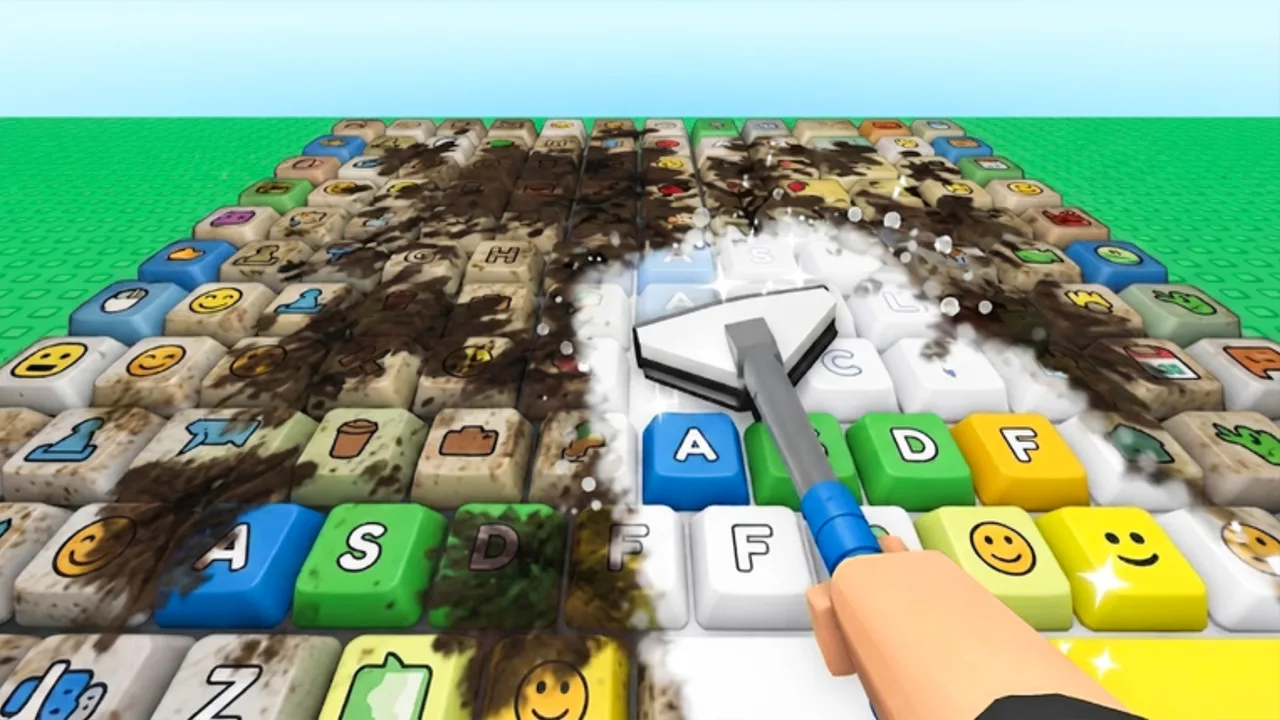
This page documents a community Clean Your Keycaps loader players use to automate washing, upgrades, workers, and rebirth. Community mirrors refreshed feature lists again in early August 2026 (Auto Wash, Auto Place, Auto Roll Soap, Auto Dunk Sponge, Auto Collect Money, Auto Hire Workers, Auto Rebirth, Auto Buy Upgrades/Sponges, Anti-AFK) while the experience continued showing [UPD] — treat any loader as unstable after patches. 2 da moon! did not publish this script; it is third-party Lua run through a Roblox executor. Read the safety section before copying anything.
Disclaimer: Using scripts may violate Roblox Terms of Service and can result in account moderation, including permanent bans. Run at your own risk. This wiki does not endorse cheating, does not guarantee any loader is malware-free, and cannot verify scripts still work after [UPD] patches. Prefer official progression via Upgrade Priority when account safety matters.
Reported features
Community copies of this loader advertise the following toggles. Names and availability change between versions:
| Feature | Typical behavior |
|---|---|
| Auto Wash | Runs scrub, rinse, and polish without manual clicks |
| Auto Place | Places clean keycaps on your plot |
| Auto Roll Soap | Buys or cycles soap upgrades when affordable |
| Auto Dunk Sponge | Handles sponge interactions and sponge purchases |
| Auto Collect Money | Collects plot payouts |
| Auto Hire Workers | Purchases workers at set thresholds |
| Auto Rebirth | Rebirths when configured conditions match |
| Auto Buy Upgrades | General shop automation |
| Auto Buy Sponges | Focuses sponge-tier purchases |
| Anti-AFK | Reduces idle kick during unattended farming |
If a toggle does nothing after an update, the game likely changed UI or remotes — check Latest Update Notes and assume the loader needs a refresh.
Loadstring
Players paste the following into a supported executor after joining the experience:
loadstring(game:HttpGet("https://raw.githubusercontent.com/joustingmatch/Ouroboros/main/loader.lua"))()Security reminder: loadstring plus HttpGet downloads and executes remote code. The URL can change or be replaced by malicious forks. Only use sources you trust, diff updates when possible, and never paste alternative links from random comment sections.
Basic usage steps
- Join Clean Your Keycaps on Roblox on an account you accept losing.
- Open your executor and attach to the game process per the executor’s instructions.
- Paste the loadstring above into the executor tab and execute.
- Wait for the loader GUI or console menu to appear.
- Enable toggles one at a time — start with Auto Wash and Auto Collect Money before Auto Rebirth to confirm stability.
- Monitor the first few minutes manually. Auto rebirth and auto hire can spend currency faster than expected.
Disable all toggles before closing the executor to reduce stuck input states.
Feature tuning tips
Auto Rebirth can reset progress prematurely if thresholds are aggressive. Compare rebirth timing against the Upgrade Priority rebirth section before enabling unattended rebirth.
Auto Hire Workers spends cash that might belong in sponge or soap tiers early game. Enable only after manual play confirms tools keep workers busy.
Anti-AFK is not a ban shield. Roblox still detects unauthorized clients separately from idle kicks.
Auto Buy Upgrades and category-specific auto-buy toggles may conflict if both fire on the same frame. Enable the narrower toggle (sponges or soap) when testing.
Video overview
The embedded video below demonstrates Auto Wash and Auto Dunk Sponge behavior in Clean Your Keycaps. Use it to see UI placement before enabling toggles yourself.
When not to use scripts
Skip automation if:
- The account has Robux, game passes, or rare items you cannot lose.
- You have not finished How to Play and do not understand rebirth costs.
- A recent [UPD] patch dropped the same day — wait for loader updates.
- You prefer ToS-safe grinding with Upgrade Planner instead.
Manual play also teaches wash bottlenecks that scripts hide — useful knowledge when toggles break.
Alternatives
- Game Passes Worth It? — official Robux convenience without executors.
- Progress Checklist — milestone tracking for manual sessions.
- Active Codes — no verified codes at last review; scripts are unrelated to codes.
Related pages
- Scripts hub — overview and risks
- Sponge Tier List — what auto-buy should prioritize
- Review — core game loop without scripts
- Official Links — legitimate URLs only
Frequently Asked Questions
Quick answers for Clean Your Keycaps players.
Does this Clean Your Keycaps script still work?
We cannot guarantee it. Game updates break loaders without notice. Test on an alt account after major [UPD] patches and disable toggles if errors appear.
Can I get banned for using auto farm scripts?
Yes. Roblox prohibits unauthorized automation and client modification. This wiki warns you to use scripts at your own risk.
What is the loadstring for Clean Your Keycaps?
The documented loader uses loadstring(game:HttpGet("https://raw.githubusercontent.com/joustingmatch/Ouroboros/main/loader.lua"))(). Remote code can change; verify the URL before executing.
Should I enable Auto Rebirth immediately?
No. Test washing and collection first. Auto Rebirth can reset progress before tools and workers are ready unless thresholds are tuned carefully.
Is there a mobile version?
Some mobile executors exist but carry the same ToS and malware risks as PC tools. This wiki does not recommend specific executors.