
Clean Your Keycaps Mobile Guide
Play the wash loop on phone and tablet without losing dunk windows to mis-taps.
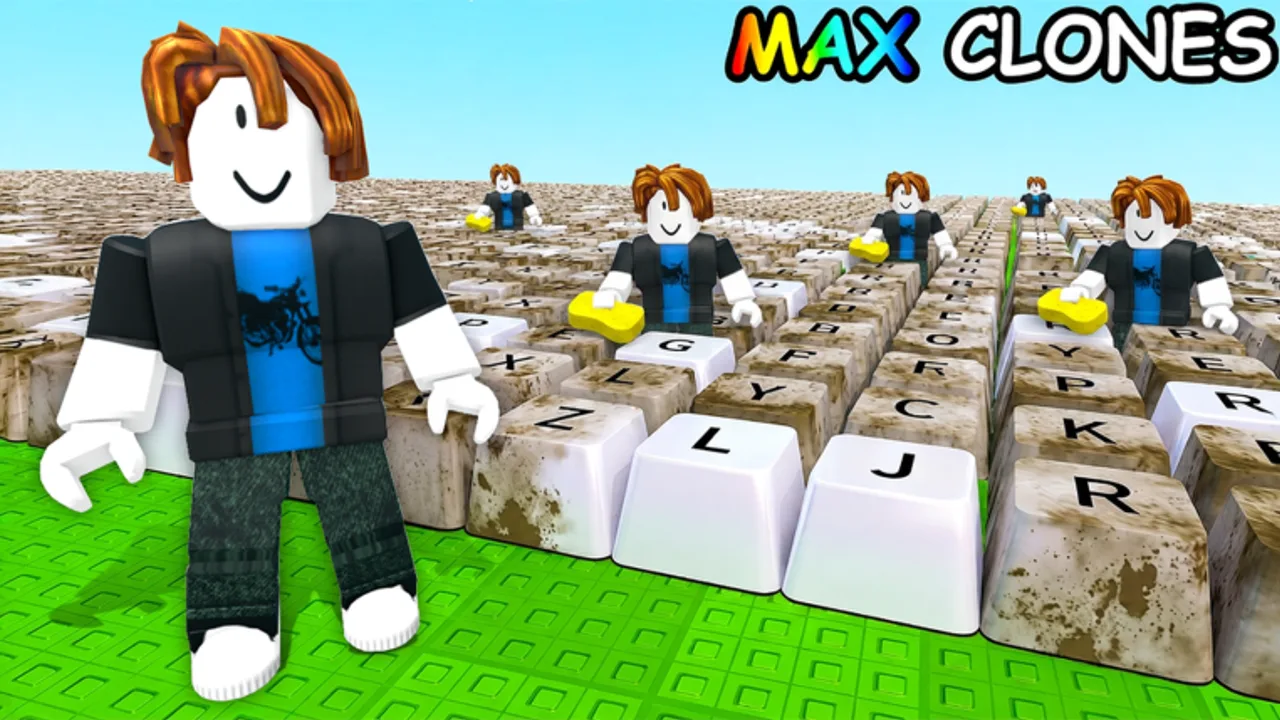
Clean Your Keycaps runs on Roblox mobile as well as PC. The scrub-rinse-polish loop still works, but small screens change aim, camera, and how reliably you hit dunk or place prompts. This guide covers mobile-first habits so you do not fall behind desktop players who only have a larger hit box.
Pair it with Controls for binding names and How to Play if you still need the full wash cycle. Stats as of our August 2, 2026 re-check sat near 3.97 million visits and about 241k favorites — plenty of mobile sessions in that audience.
Why mobile feels different
On phones and tablets:
- Scrub gestures are less precise than mouse tracking.
- UI buttons sit closer together, so dunk, collect, and shop taps collide.
- Camera drag fights scrubbing when you hold the screen with one thumb.
- Background apps and thermal throttling can stutter animations mid-dunk.
None of that makes mobile unplayable. It means you should buy forgiving sponge tiers earlier and keep station routes shorter.
Setup before your first mobile session
- Join only from the official experience so clones do not waste battery.
- Lock orientation if your device allows — landscape usually gives a wider scrub view.
- Raise brightness enough to see dirt meters outdoors.
- Silence notification banners that steal taps mid-polish.
- Read Controls once so place/collect prompts are not surprises.
Scrubbing on a touchscreen
Aim for the center of grime patches and use short strokes instead of huge swipes that rotate the camera. If the camera drifts, enable any shift-lock or camera-lock option Roblox exposes on your build, or pause scrubbing to re-center before dunking.
Upgrade sponges sooner on mobile than on PC when scrub aim is the bottleneck — a larger clean radius forgives imprecise thumbs. See the Sponge Tier List and How to Clean Faster.
Soap dunks without mis-taps
Dunk windows are short. On mobile:
- Stand at the scrub mat before you dunk.
- Double-check you tapped Dunk Sponge, not Roll Soap or Collect.
- Finish the hard cap immediately (Soap Dunk Guide).
If your thumb often hits the wrong button, move your grip or zoom the camera so prompts separate visually.
Placement and collection on small screens
Batch place after a few caps so you are not walking to the rack every polish. Collect on the return trip. Details: Place & Sell. Mis-tapping collect while trying to polish wastes more time on mobile than on PC.
Battery, heat, and AFK reality
Long wash sessions heat phones and can lower frame rate, which makes dunk timing feel off. Lower graphics quality in Roblox settings if scrubbing stutters. Do not leave the game AFK overnight expecting full progress — servers can kick idle clients, and Auto Wash belongs to workers or risky scripts, not the stock mobile client.
Workers help mobile players more
Once tools feed them, Hire Workers reduces the amount of precise scrubbing you must do by hand — a bigger quality-of-life win on touchscreens than on mouse. Hire when you are the bottleneck, not when payroll would starve sponge upgrades (Upgrade Priority).
Mobile session plan (30 minutes)
- One full wash and place cycle.
- Buy one sponge or soap upgrade that helps aim or dunk clarity.
- Practice two dunks on hard caps only.
- Place a batch; collect once.
- Tick Progress Checklist milestones.
Common mobile mistakes
- Scrubbing while dragging the camera.
- Dunking then opening the shop mid-buff.
- Using codes from other keycap games (Wrong-Game Codes).
- Ignoring [UPD] shop changes after patches (Latest Update Notes).
Related pages
Frequently Asked Questions
Quick answers for Clean Your Keycaps players.
Can I play Clean Your Keycaps on mobile?
Yes. Roblox mobile supports the experience. Expect less precise scrubbing than PC and upgrade sponges earlier if aim feels awkward.
Should I dunk soap the same way on mobile?
Yes — dunk for hard caps only — but stand at the scrub mat first so a mis-tap does not waste the buff walking to the station.
Do workers help more on mobile?
Often yes. Auto Wash reduces precise thumb scrubbing once your stations can feed hired workers.
Are there mobile-only codes?
No verified Clean Your Keycaps codes exist yet on any platform. Ignore platform-specific fake lists.