
Clean Your Keycaps Multiplayer Tips
Share a wash floor with up to six players without confusing social fun for shared progress.
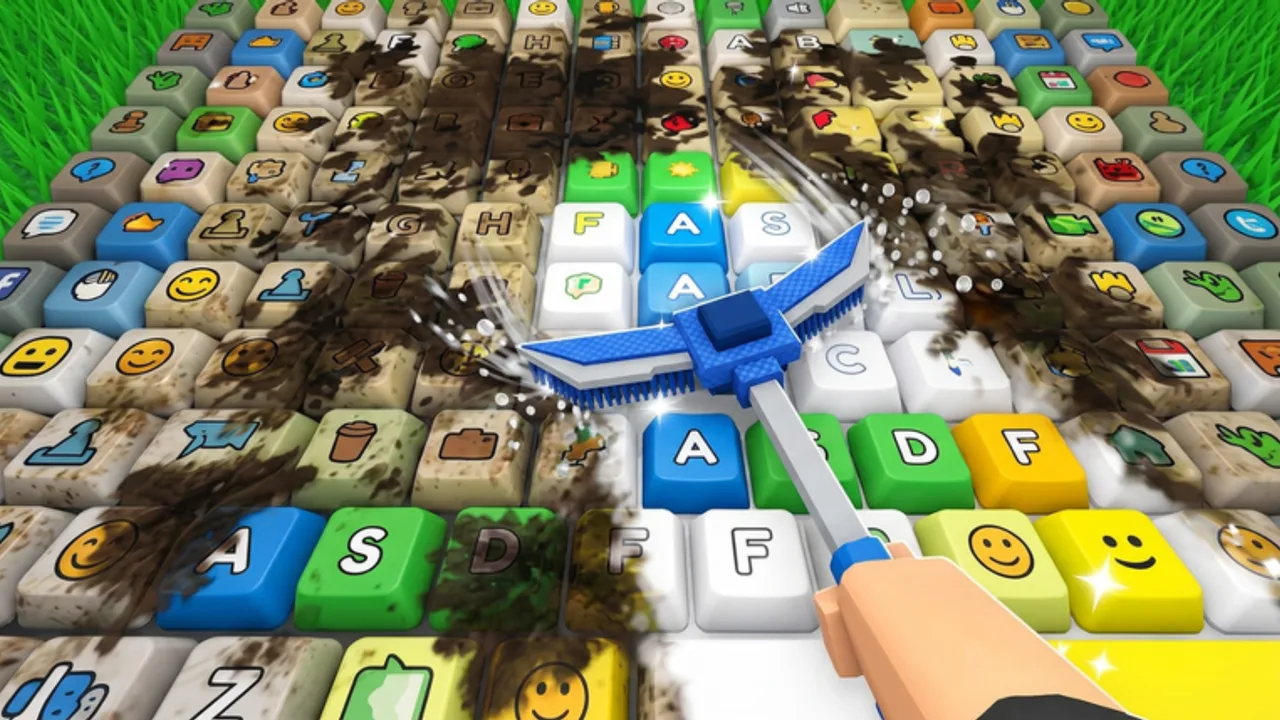
Clean Your Keycaps servers support up to six players. That makes the wash floor feel lively, but progression remains per account. Friends can scrub beside you; they cannot finish your rebirth for you. This page explains what multiplayer changes, what it does not, and how to pick servers after [UPD] patches.
As of August 2, 2026, the experience still showed roughly 3.97 million visits with nearly 10k concurrent players in peak windows — busy servers are normal. Bookmark the official place so you never join a clone lobby.
What is shared vs private
| Shared in a server | Private to your account |
|---|---|
| The instance / map instance feel | Cash, sponge tiers, soap tiers |
| Seeing other avatars wash | Worker ownership and payroll |
| Social chat and vibe | Rebirth multipliers |
| Occasional lag from crowded plots | Game pass ownership |
Plan upgrades with Upgrade Priority as if you were solo — because economically you are.
When multiplayer helps
- Learning station locations by watching veterans place caps.
- Staying motivated during long grinds.
- Testing whether a dunk timing tip from a friend works on your build (Soap Dunk Guide).
- Streaming or party play without needing shared inventories.
When to prefer quieter servers
Pick lower population or private servers (if available) when:
- Placement prompts lag behind your taps.
- Camera collisions make mobile scrubbing worse (Mobile Guide).
- You are timing income for a rebirth decision (How to Rebirth).
- You are verifying shop prices after an [UPD] (Latest Update Notes).
Ping matters more than player count for scrub responsiveness.
Etiquette on a shared wash floor
Clean Your Keycaps is not a PvP contested-node game, but common courtesy still helps:
- Do not stand inside another player’s scrub animation if it blocks their camera.
- Avoid spamming trade or “free codes” ads — there are no verified codes, and fake lists belong on Wrong-Game Codes.
- Do not pressure others to install scripts; ToS risk is personal.
Co-op myths to ignore
“Friends boost my income automatically.” Not unless the developers add a documented party bonus — none confirmed in the public description.
“I should delay rebirth until my friend catches up.” Your multiplier math is personal. Help them with advice links, not stalled progress.
“Busy servers drop better codes.” Codes are not tied to lobby population; none are verified anyway.
Lag troubleshooting checklist
- Rejoin a different server from the Roblox experience page.
- Lower graphics quality.
- Close background apps on mobile.
- Confirm the issue is not a mid-dunk mis-tap (Tips & Tricks.
- Check whether a fresh [UPD] broke a script loader you were using — manual play still works.
Multiplayer session ideas
Teach mode: One experienced player narrates sponge vs soap priority while the learner follows How to Play.
Race mode: Both wash three hard caps after a dunk; compare times without spending — pure skill check.
Audit mode: After [UPD], both screenshot shop prices and compare notes for the wiki-style checklist on Latest Update Notes.
Related pages
Keep verifying after patches
Universe timestamps do not always mean a public changelog. After every [UPD] tag, re-time one scrub cycle and one place cycle before assuming your multiplayer habits still match the economy. If friends report different sponge prices, someone may be on a stale client — rejoin from the official experience URL.
Busy lobbies also attract chat spam about free Robux and “OP codes.” Mute or report those accounts and keep grinding with Place & Sell plus Upgrade Planner. Social play should never become a phishing funnel.
When you finish a party session, write down one lesson (better dunk timing, shorter route, quieter server) and apply it solo tomorrow. That turns multiplayer into practice rather than distraction. Cross-check long-term goals with How to Earn Money and How to Rebirth so peer pressure never pushes an early reset.
Frequently Asked Questions
Quick answers for Clean Your Keycaps players.
How many players can join a Clean Your Keycaps server?
Servers support up to six players. Progression such as cash, upgrades, and rebirth remains per account.
Can friends share sponge upgrades?
No. Watching friends can teach routes, but sponge, soap, workers, and rebirth progress stay on your account.
Should I play on full servers?
Full servers are fine for social play. Choose quieter servers if lag hurts scrubbing, dunk timing, or placement.
Do multiplayer lobbies have special codes?
No verified Clean Your Keycaps codes exist. Ignore lobby chat claiming private promo strings.